🔒 No accounts · Your screenshots never leave your device

Your screenshots, finally organized.

You screenshot everything — recipes, receipts, Wi-Fi passwords, gift ideas. ScreenStash turns that camera-roll chaos into beautiful, searchable boards. Visual, satisfying, and completely private — made just for you.

Free for your newest 500 screenshots · Pro is $19.99 once — not a subscription

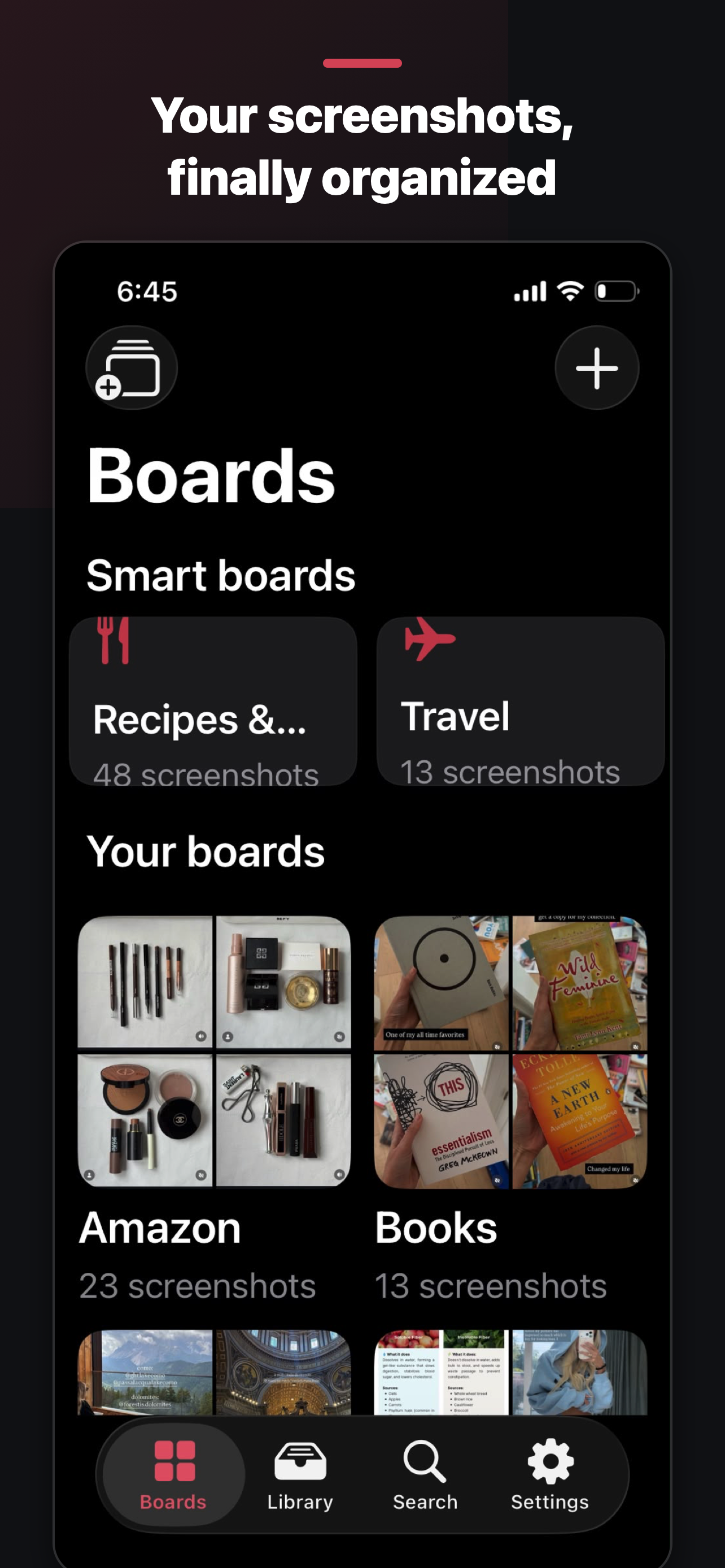
Stash ScreenStash boards screen showing smart boards and personal boards. Filed to Recipes ✓
The workflow

From 2,000 unsorted screenshots
to inbox zero.

Import your screenshots and work through your Inbox one satisfying tap at a time. Everything you file leaves the pile — so the pile only shrinks.

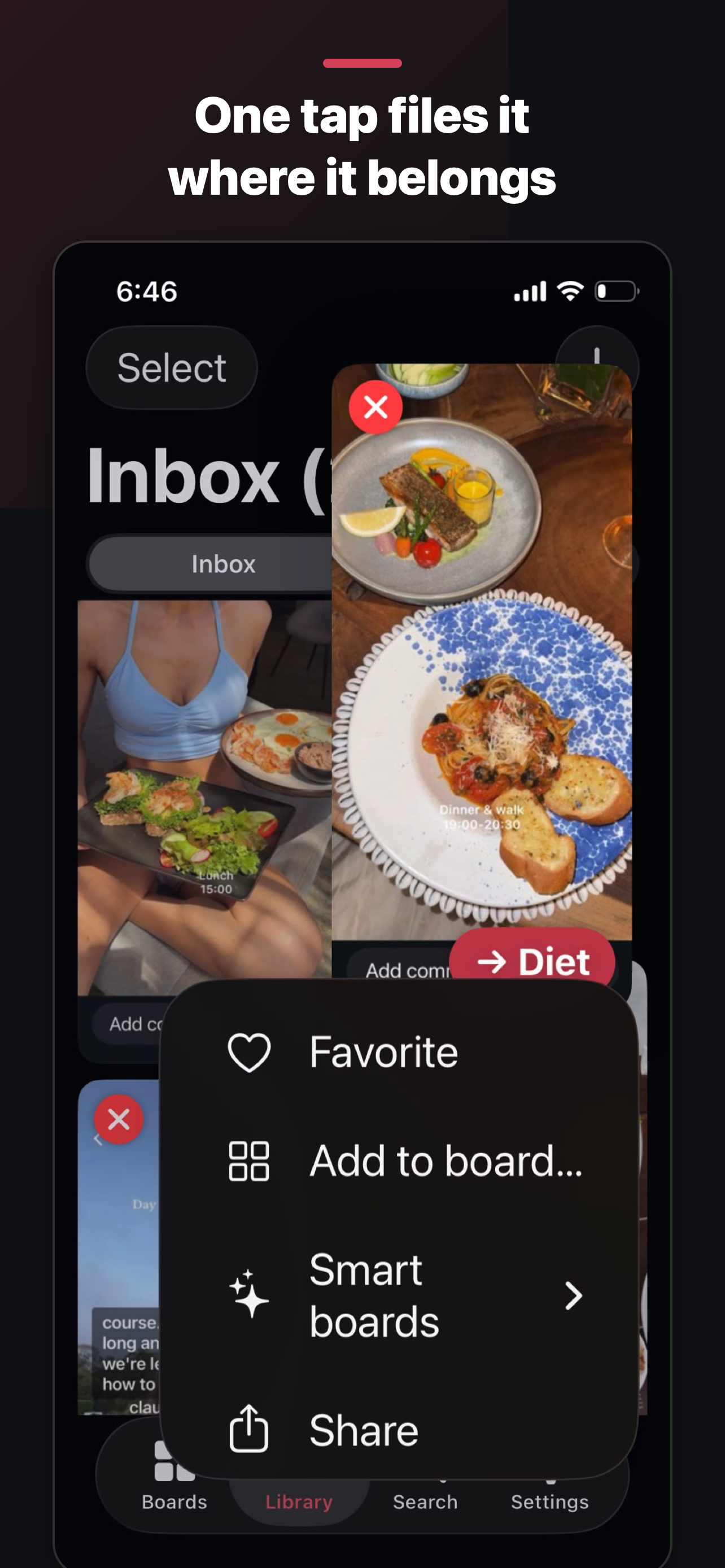
One-tap filing

The Stash button learns where things go

Every screenshot in your Inbox carries a Stash button. One tap files it to the right board — receipts go where your receipts live. Wrong guess? Undo or change it from the toast, after the fact.

  • Long-press any screenshot for favorite, file, move, share, delete
  • Multi-select to sweep whole batches onto a board at once
  • Drag & drop straight onto a board
  • Undo everywhere — act fast, correct later
Inbox with one-tap Stash buttons filing screenshots to boards.
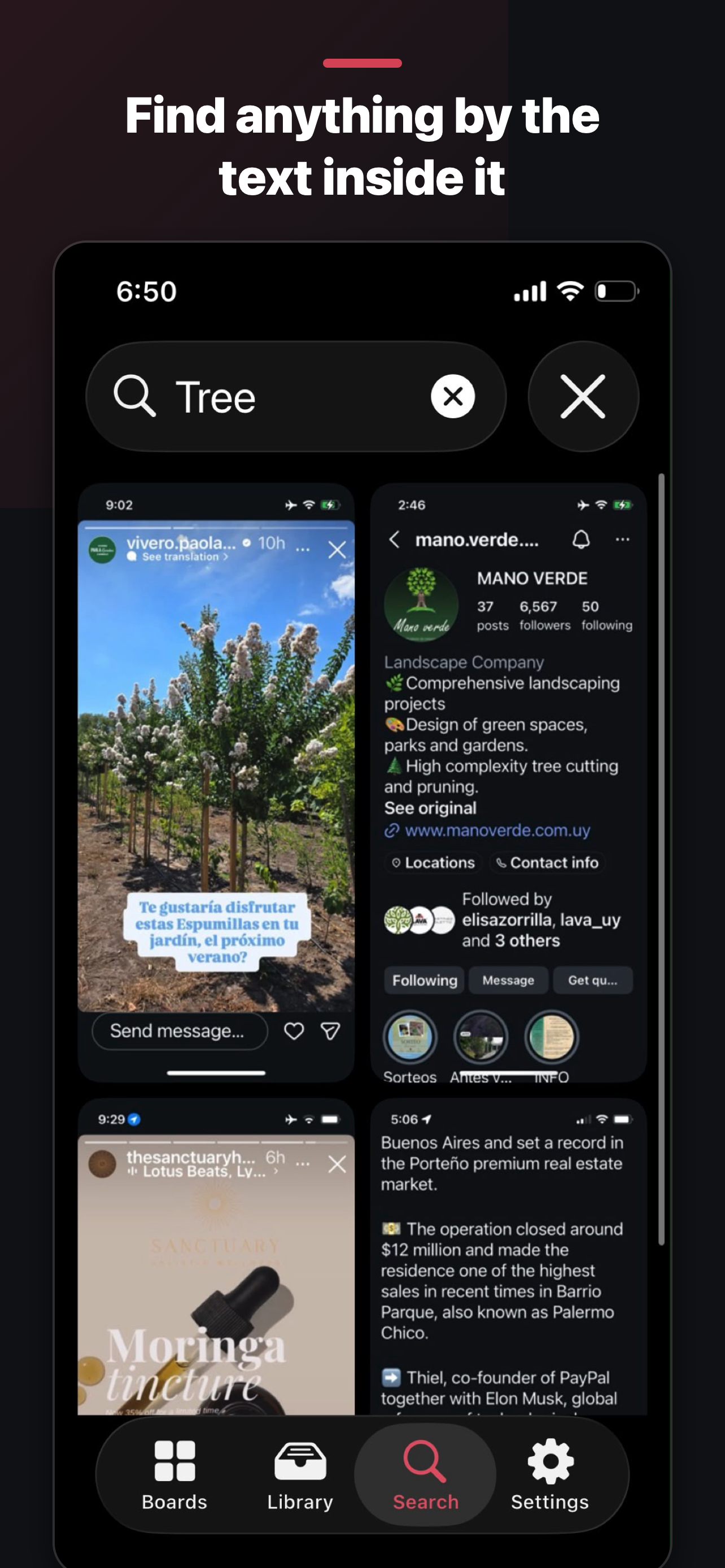
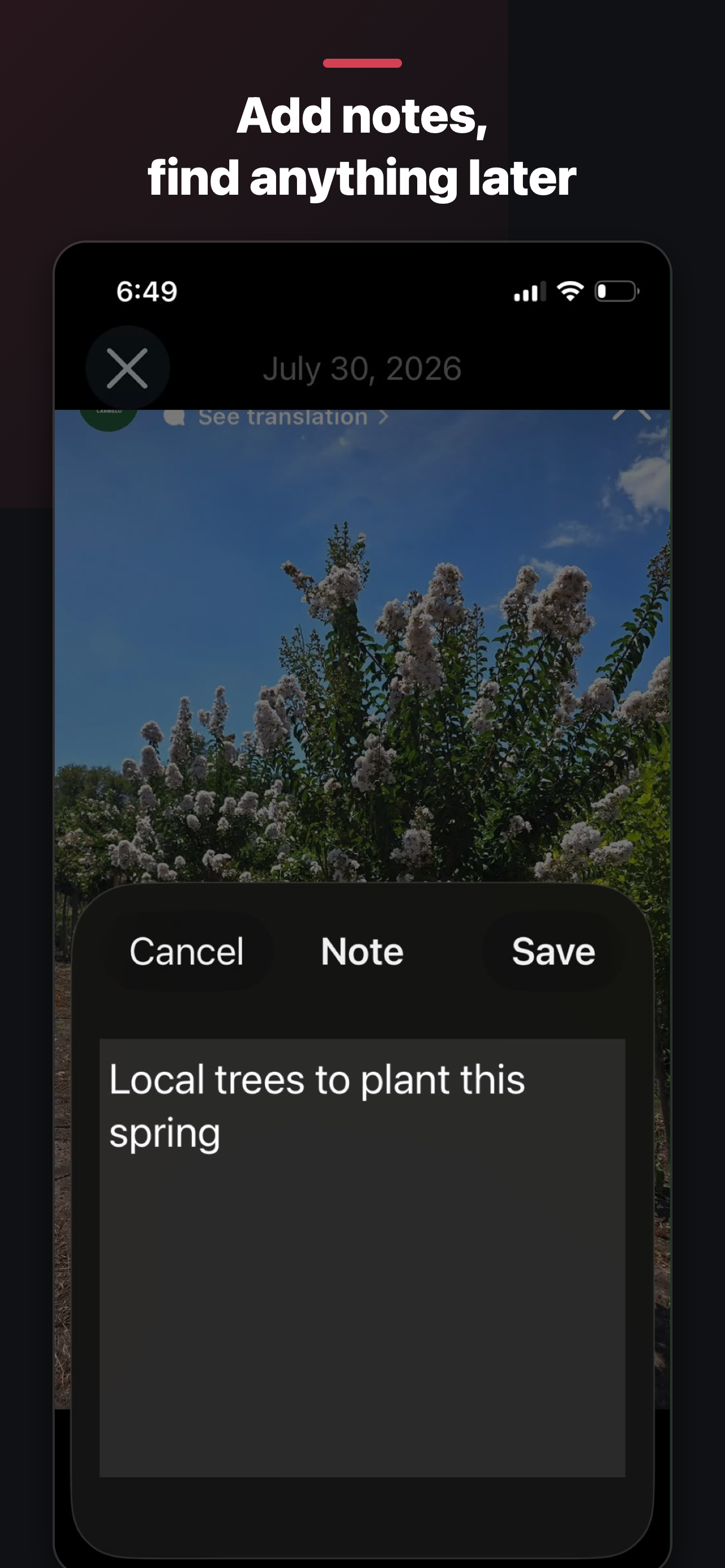
Searching 'Tree' instantly finds matching screenshots.

Search that feels like magic

Find anything by the text inside it

ScreenStash reads every screenshot with Apple's on-device text recognition. That recipe you saved in March? Type "chicken." The Wi-Fi password from the beach house? Type "wifi." It's all instantly findable — without any of it leaving your phone.

  • Searches text in screenshots, your notes, and board names
  • Indexes automatically in the background after import
  • Works on everything you've ever imported

Smart boards

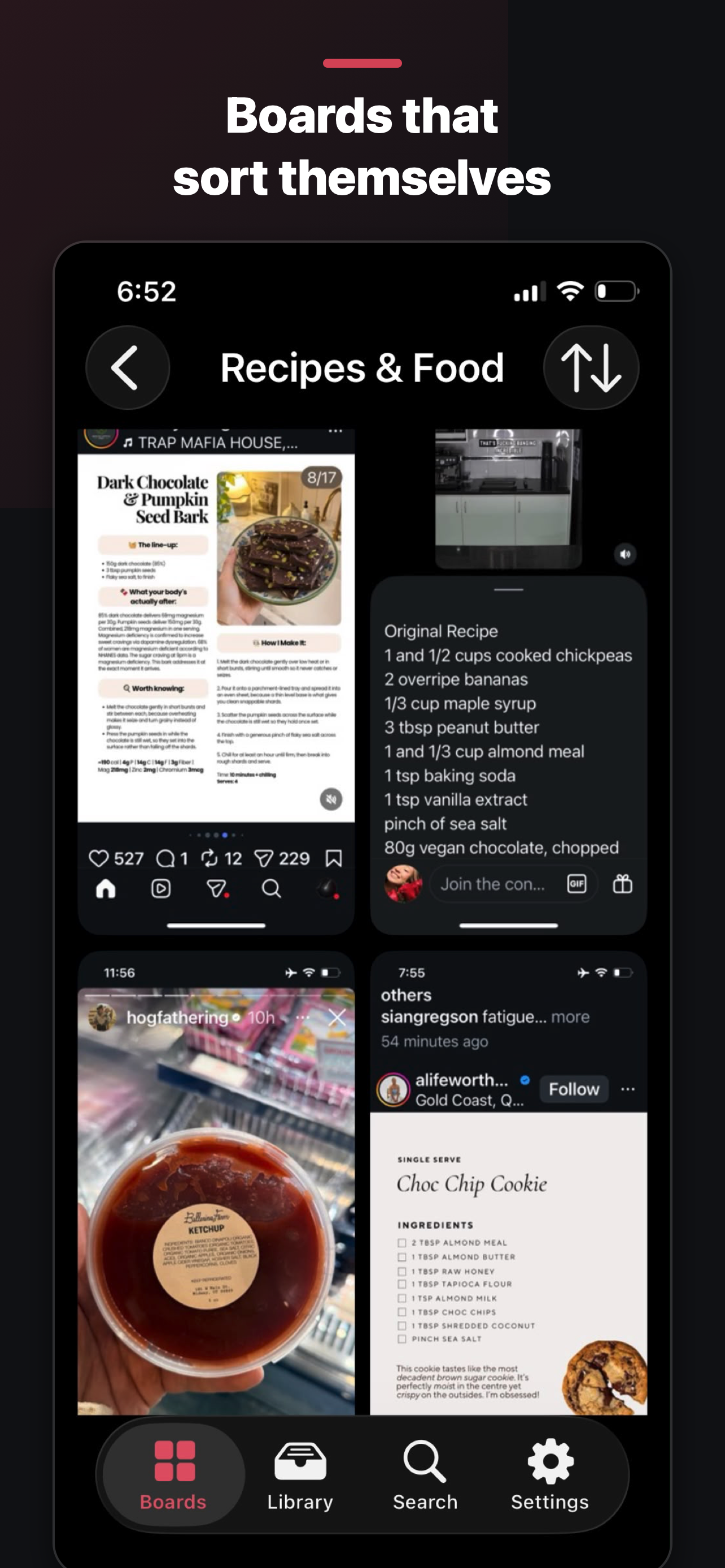
Six boards that sort themselves

Receipts & Orders. Recipes & Food. Travel. Codes & Wi-Fi. Places & Maps. Shopping. ScreenStash recognizes what a screenshot is and groups it automatically — no filing required. Disagree? Add or remove anything by hand.

  • Updates itself as new screenshots arrive
  • Never moves anything — works alongside your own boards
  • Part of ScreenStash Pro
The Recipes & Food smart board, grouped automatically.
🧹

Clean up your camera roll

After importing, ScreenStash offers to delete the originals from Photos — only with your confirmation, and only once every file is verified safe.

🗂️

Sections within boards

Big board? Split it into sections — Recipes → Dinner, Desserts, Meal prep. Two levels, zero complexity.

⚡

Built for thousands

Tested with libraries of thousands of screenshots. Filing, deleting, and scrolling stay instant at any size.

🔄

Auto-import

With Pro, new screenshots flow into your Inbox on their own. Take the screenshot, deal with it whenever.

☁️

iCloud backup

Pro backs your library up to your private iCloud — restore everything on a new iPhone in minutes.

↩️

Undo, everywhere

File, move, or delete without fear. Every action offers Undo the moment after it happens.

Privacy isn't a feature. It's the design.

Your screenshots never leave your phone.

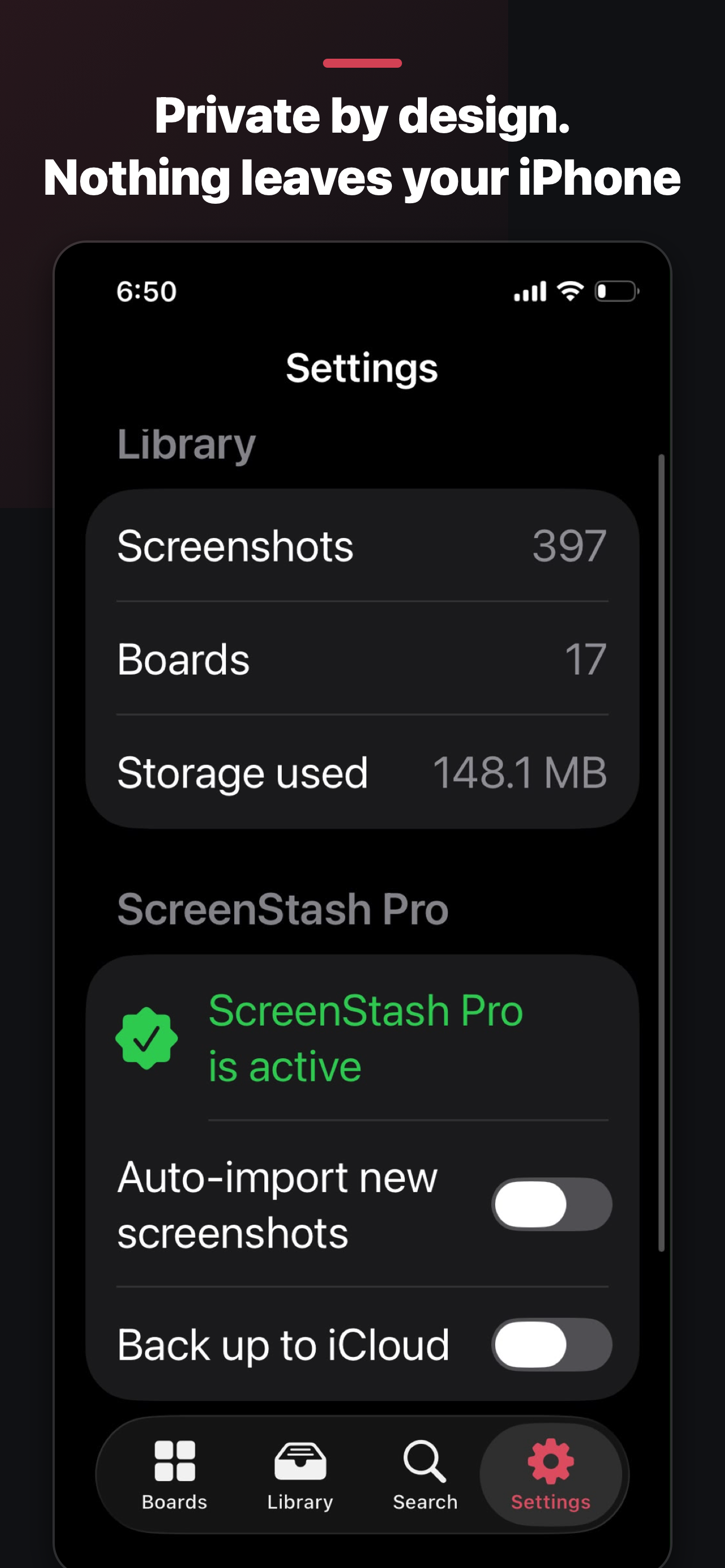
No accounts, ever. Text recognition runs on your own device, your library lives on your own device, and the optional backup goes to your private iCloud or Google Drive — which we can't read even if we wanted to. Your screenshots, the text inside them, your board names and your searches are never uploaded to us. There is nothing to upload them with.

The one thing we do measure: which ad brought you here, and whether it led to a subscription. That's how a small app knows where to spend. It's a device identifier and a purchase event — nothing about what you've saved. On iPhone, iOS asks your permission first, and saying no changes nothing about how the app works.

Screenshots never uploaded On-device OCR No accounts Your own cloud only

Read the full privacy policy →

Settings screen showing on-device library and privacy controls.

Pricing

Free to organize.
Pro when you're hooked.

Free

$0
forever
  • Your newest 500 screenshots
  • Unlimited boards & sections
  • Full text search
  • One-tap filing, undo, multi-select
  • Camera roll cleanup

ScreenStash Pro

$19.99
once — yours forever. Not a subscription.
  • Everything in Free
  • Unlimited screenshots
  • Auto-import new screenshots
  • Smart boards that sort themselves
  • iCloud backup & restore

Questions

Quick answers

Is it really private?

Where it counts, yes. Your screenshots and everything ScreenStash learns from them stay on your device — we operate no servers holding your content, and there's no account to tie it to. The one optional cloud feature, backup, uses your own private iCloud or Google Drive, which only you can access. We do measure which ad brought you here and whether you subscribed, using an attribution service; on iPhone you're asked first and declining costs you nothing. Full policy here.

What happens to my photos when I import?

ScreenStash keeps its own copy inside the app. Your Photos library is untouched unless you explicitly choose cleanup — and even then, iOS shows its own confirmation before anything is deleted.

Do I have to pay for ScreenStash?

No — the free tier is a complete organizer for your newest 500 screenshots. Pro removes the limit and adds automation: auto-import, smart boards, and iCloud backup. It's a one-time $19.99 purchase — not a subscription, no renewals, yours forever.

Which devices does it run on?

iPhone running iOS 18 or later, and Android.

Ready?

Your camera roll called.
It wants a filing system.